All guides
CREATOR GUIDE / UPDATED 4 NOV 2026

What does the two-photo video look like?

Short answer

The examples show the original studio performance alongside a real AI-generated result. The full example uses two fictional adult photos and the supplied video reference. It runs for about 14 seconds in vertical 480p. Faces, clothing and movements can differ in other generations, so use the example as a guide.

Compare the two sample photos, the original studio performance and the resulting 14-second 480p video below. Your own result can vary.

TWO PHOTOS. ONE STUDIO DUET.

See the transformation.

The reference and a real AI-generated example.

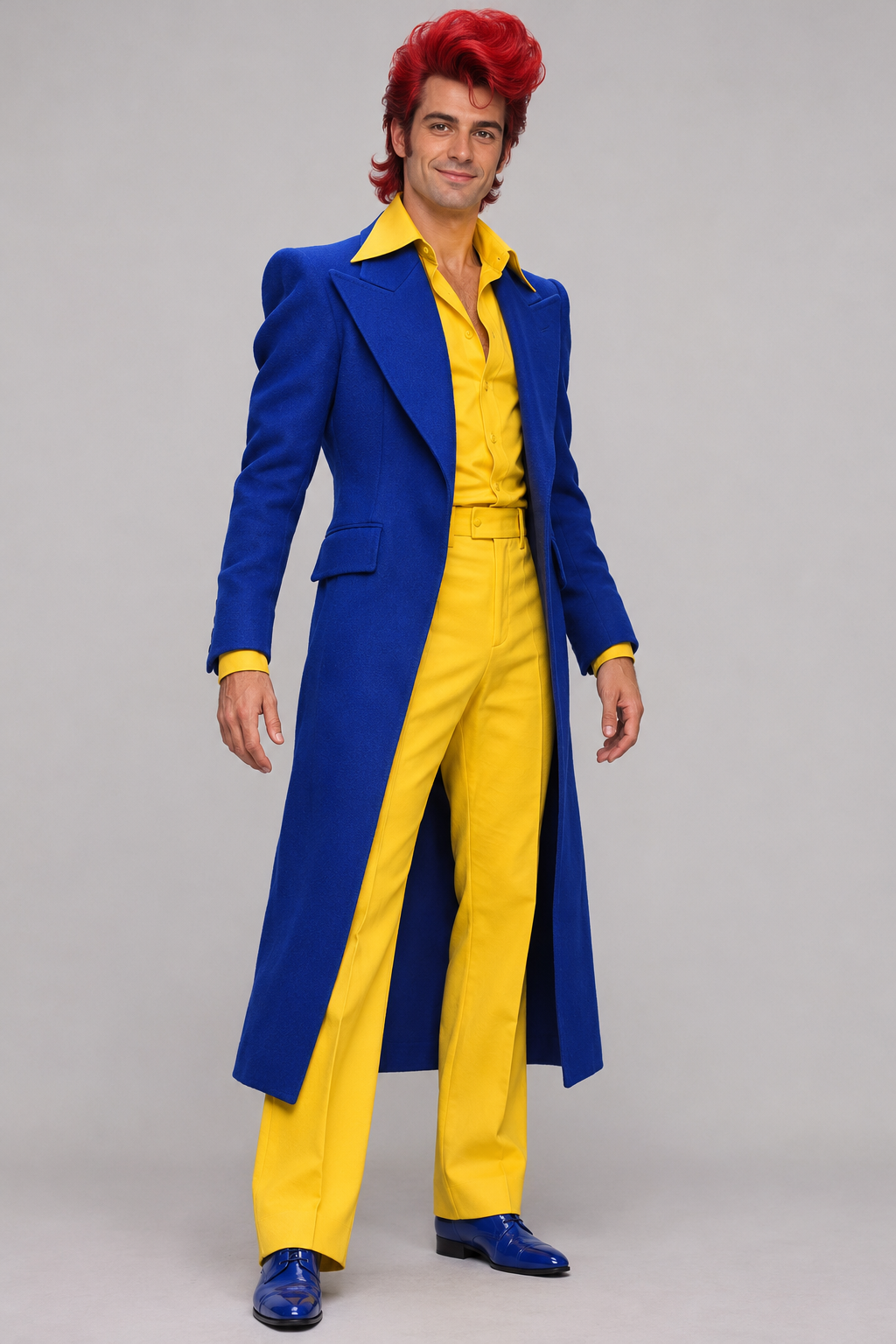
GPT Image fictional adult for the left position
left
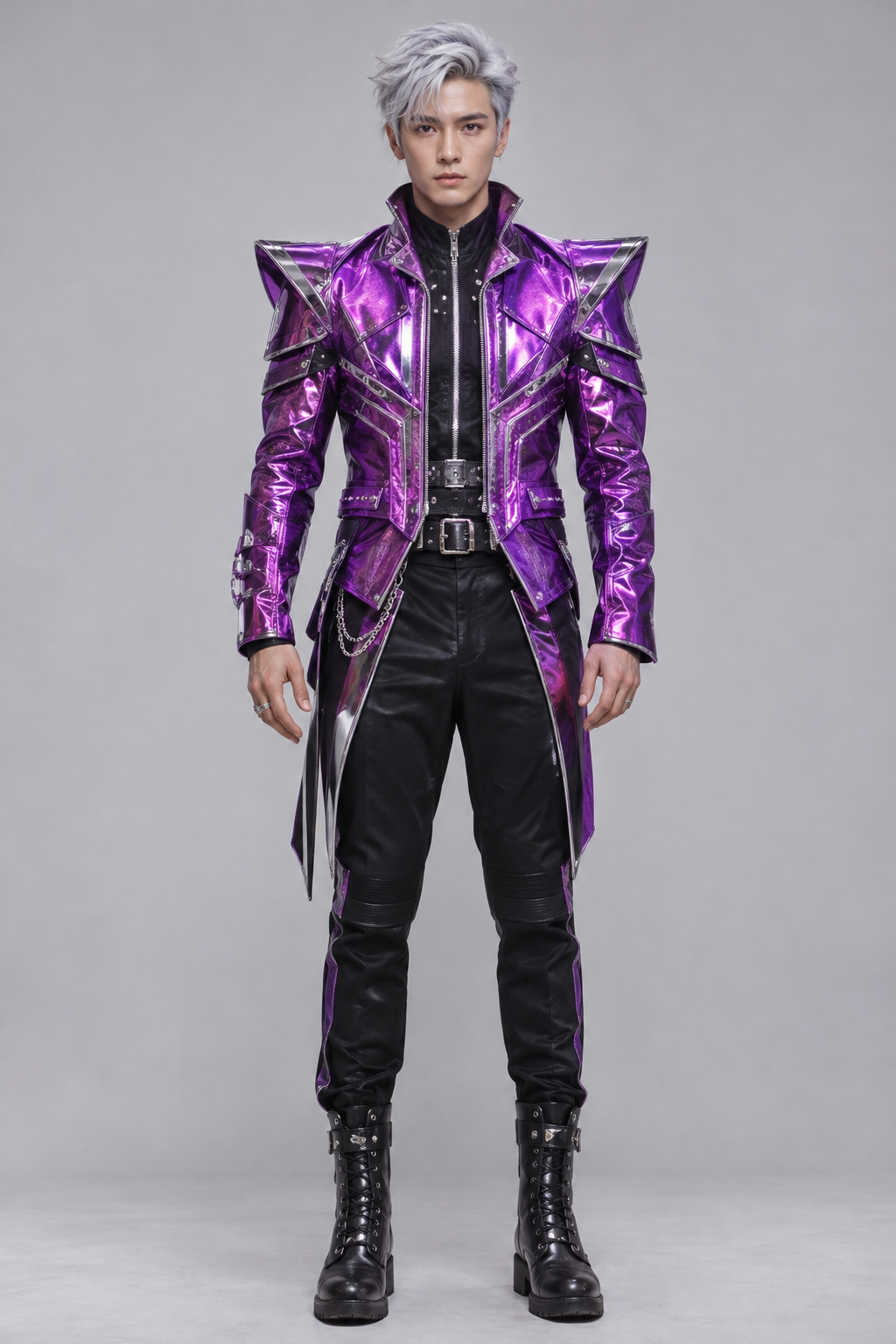
GPT Image fictional adult for the right position
right

These two fictional adults were created with GPT Image. The AI example below uses these photos and the reference clip.

01 / REFERENCEOriginal performance

The studio scene.

The source performance supplied by this preset.

02 / AI RESULTYour own look

A different cast.

Real Standard 480p example. Results vary by photo.

Make your own video

The useful details

Explore credit packs ↗
Your input
2 adult photos · Left / Right · JPG, PNG or WebP · up to 8 MB each
Your output
About 14 seconds · 9:16 vertical MP4
Video quality
480p: 50 credits · 720p: 100 credits
Free preview
4s · 480p · silent · subject to availability
Credit packs
From $6.99 for 50 credits · one-time payment
The soundtrack
Optional original BGM · included at no extra credit cost
Privacy & access
Private uploads · photos kept 7 days, videos 30 days

The reference scene

The vertical reference shows two performers in a teal studio with a hanging silver microphone. It opens with both performers, cuts to the right performer, moves to a wide shot and returns to the duet. Your Left and Right photos keep their original identity assignments through these camera changes.

The two input photos

Both sample adults were created with GPT Image. The left character has red hair, a cobalt-blue coat and yellow clothing. The right character has silver hair, a purple metallic jacket and black clothing. These photos guide appearance and outfits; the supplied reference guides the studio, actions and timing.

The generated example

The displayed result is a real 14-second Standard 480p video generated with Alibaba Wan 3.0 using these two photos and the supplied original studio video. The soundtrack was added separately. The example represents Standard resolution; results can vary by photo.

What can vary?

AI generation can change facial details, hands, clothing and motion. A 4-second preview helps inspect the opening, but cannot guarantee the later shots of a separately generated full video. Watch your complete result before downloading and sharing.

Try the same workflow

Sign in, upload one adult photo to each of Left and Right, then choose a preview or full video. For a full video, select 480p or 720p and set BGM on or off. Confirm the age and photo-permission requirements, then generate. Follow progress and download the completed MP4 in My videos.

Create your video